
The new guidance addresses concerns from organisations and frontline workers that may be scared to share information for fear of falling foul of data protection law.

We wanted to highlight an organisation called the National Cyber Resilience Centre Group which consists of nine regional centres in the UK that were set up to strenghten the reach of cyber resilience across the business community.
A coalitiion of police, government, large employers and organisations and academia are supporting the growth of the Cyber Resilience Centre Network.

The time following a cyber attack can be very stressful, and in the heat of the moment it can be difficult to know what the best thing to do between working out what went wrong, how to recover and what went missing, it can be hard to know where to start first.
We provide some help and guidance in our Information and Cyber Security Best Practice Area, which also includes the checklist:
document
What to do immediately after a Cyber Attack(58 KB)
.


Are you looking for some data protection training for your inset day(s) at the start of term? Here are some ideas about how to raise awareness around data protection and cyber security for your staff.
The training should be relevant, accurate and up to date.

Microsoft has recently announced the planned retirement of the Microsoft A1 Licenses for Education. According to Program Updates in Microsoft 365 for Education page the main reason is to limit storage. Free, unlimited storage plans have become prohibitive and have become a large vector for security risks and fraud.
We've produced a document to provide help and guidance in the event of a cyber attack. The document is part of our Information and Cyber Security Best Practice Area and covers:
This document gives a list of who to contact and what to do just after a cyber attack. It covers:

For those outside the computing world, it feels as though AI (Artificial Intelligence) has suddenly appeared and having a huge impact on the rest of the world. Artificial intelligence is intelligence demonstrated by computers, as opposed to human or animal intelligence. 'Intelligence' encompasses the ability to learn to reason, to generalise and to infer meaning.

Surrey Police are investigating a fraud and computer misuse allegation at AQA, England's largest exam board which follows the recent data breach reported by Cambridgeshire Policy into a data breach with the exam boards at OCR and Pearson. Full article: AQA also hit by exam paper cyber attack.

This article was originally published in January 2023, but has been updated with some additional information, following further ransomware attacks on schools in the UK. Highly confidential documents from 14 schools in the UK have been leaked online by hackers. The Vice Society has been behind a high-profile string of attacks on schools across the UK and the USA in recent months.


This article is one in a series of articles about raising cyber awareness in an organisation. We visit a number of organisations through our data walks and often discuss the use of USB sticks with staff and are told that they are not allowed. Yet we will see them in use during the walk. A verbal/written policy is not the same as prevention and detection. This article will discuss methods for detection and why.

This article is about cyber insurance in the public sector, particularly in relation to schools. Cyber insurance is a special type of insurance intended to protect businesses from internet-based risks, and more generally risks relating to information technology infrastructure and activities. It is also known as cyber liability insurance or cyber risk insurance.
This article is an article about DDoS attacks and is part of a series of articles about different types of cyber attacks. Denial-of-service (DoS) attacks are a type of cyber attack targeting a specific application or website with the goal of exhausting the target system’s resources, which, in turn, renders the target unreachable or inaccessible, denying legitimate users access to the service.
This article is about a recent cyber attack on Leytonstone School. The school in Waltham Forest has been closed since half term after it was targeted and a significant amount of personal data was accessed.
The school is still closed to all pupils other than those taking their GCSEs because the school currently does not have a single central record (SCR), sometimes referred to as a single central register. An SCR is a statutory requirement for all schools and academies in England and Wales to keep and maintain one single record of pre-appointment vetting checks, regulated activity and recording information of all staff. The record is normally kept up to date by a member of the admin staff, but overall responsibility lies with governors (or equivalent) and delegated to headteachers. It is an essential safeguarding document and must be maintained, reviewed and audited on a regular basis. It will probably be one of the first documents that Ofsted will ask to see. Any guidance relating to the SCR should also be read in conjunction with the current version of the Keeping Children Safe in Education (KCSIE) document.
There is no defined format for the SCR and most schools hold it electronically as a password protected Excel document. As well as employees, it should also include:
As a result of the cyber attack at Leytonstone School there is also no WiFi and phone system, but it is the missing SCR that prevents the school from opening. Our advice would be to always ensure there are secure offsite (cloud) backups of essential files, in addition to local backups. The security of the SCR should be part of the school's business plan which should be discussed regularly at governing body meetings. Review: alongside Governors and Data Best Practice Area to understand how governor responsibilities relate to business continuity and cyber strategy.
View our Information & Cyber Security Best Practice Library for cyber help and guidance.
Download our Business Continuity Template.
We would also recommend viewing the National Cyber Security's pages that provide cyber security advice for schools, which includes free training: NCSC Cyber Security training for schools.
We provide additional Cyber Security Training: How to avoid a data breach: Information and Cyber security.
Further details about what has happened at the school can be viewed in this article by the Evening Standard: Leytonstone School forced to close after IT system hacked.
Incidents or attacks where any security breaches may have taken place, or other damage was caused, should be reported to an external body.
The SLT digital lead will be responsible for assigning someone to report any suspicious cyber incidents or attacks. This person will need to report this to:
You may also need to report to:
You must act in accordance with:
Police investigations may find out if any compromised data has been published or sold and identify the perpetrator.
Preserving evidence is as important as recovering from the crime.
Forward suspicious emails to

A reprimand has been issued by the ICO to Parkside Community Primary School in relation to the infringements of Article 5 (1)(f), Article 24 (1) and Article 32 of the UK GDPR. This article discusses the reprimand and looks and what schools can do to avoid this type of breach.
Some of the information in the reprimand document is redacted, but the main details are:
The breach is in relation to the UK GDPRs security principle, meaning that the school failed to prevent unlawful disclosure of personal data.
The school also failed to implement appropriate technical and organisational measures to ensure personal data is kept secure under Article 32 of the UK GDPR.
The findings were that the school did not have:
There were several steps taken and further action recommended which all schools should take into consideration when using these kinds of systems and when handling special category data in a busy school environment:
The further actions recommended were:
The key points to take from the recommendations are that you should always be aware of where you are and who might see what you're working on. Data classification and access controls are vital. Special category requires extra security.
Consider all the advice above with what other safeguarding and special category data that you may have displayed around your school? Consider using our Making the Rounds tool to do your own data walk or get in touch with your Data Protection Education School Consultant to do the walk with your or have a follow-up feedback meeting.
Use our
pdf
DPE Quick Reference Guide(1.64 MB)
for practical advice on what can be displayed around schools.
The full reprimand can be read here: https://ico.org.uk/action-weve-taken/enforcement/parkside-community-primary-school/
This article is about firewalls and how they can help in your plan towards being cyber resilient.
What is a firewall? Think of a firewall as an intruder detection system for your organisation's network. It is a virtual barrier between your computer or network and the internet. Its role is to keep an eye on all the incoming and outgoing data, like a security guard watching the entrance to your house or office. The main purpose of a firewall is to protect your computer or network from harm. It helps to prevent unauthorised access, like hackers. It also helps to stop viruses, malware or other malicious software from infecting your system. It acts as a shield, keeping your personal and sensitive information safe.
Your firewall may be managed by your IT or internet provider. Often they will be at default settings, so it is good to ask your provider about the following:
Setting up a firewall can be a complex task but is often provided by your IT support or internet provider.
What kind of rules should be set?
Further guidance for schools can be found in the DFE document: Cyber Security Standards for Schools and Colleges. The document discusses the importance of firewalls and how they make scanning for suitable hacking targets much harder - hackers will always try to find the easiest route for an attack so making it difficult makes an attack less likely.
Further help and advice can be found in our Information & Cyber Security Best Practice Library and further questions to ask can be found in our Information/Cyber Security Checklist. The checklist covers the following areas:
Firewalls also have vulnerabilities and hackers will always try to exploit vulnerabilities as discussed in this Computing article: Major firewall maker alerts customers to vulnerabilities.
Consider the use of secure methods and organisational devices for staff required to work from home. Review our Work out of school Best Practice Area. Ensure that there is secure remote access, especially if a school server needs to be accessed.
Incidents or attacks where any security breaches may have taken place, or other damage was caused, should be reported to an external body.
The SLT digital lead will be responsible for assigning someone to report any suspicious cyber incidents or attacks. This person will need to report this to:
You may also need to report to:
You must act in accordance with:
Police investigations may find out if any compromised data has been published or sold and identify the perpetrator.
Preserving evidence is as important as recovering from the crime.
Forward suspicious emails to
This article is about cyber attacks and data breaches that may go unreported due to the misconceptions about how organisations might respond to them. The NCSC recently published an article about why transparency around cyber attacks is a good thing for everyone.
The NCSC and the ICO may work on a cyber attack together if an incident brings down a business, severely impacts national services and infrastructure or massively disrupts people's data-to-day lives, however they consider that a large number of attacks may go unreported. The article talks about a number of myths:
Myth 1 - If I cover up an attack everything will be OK - of course it won't. Every successful cyber attack that is hushed up, with no investigation or information sharing, makes other attacks more likely because no one learns from it. Keeping your cyber incident a secret doesn't help anyone except the criminals.
Myth 2 - Reporting to the authorities makes it more likely the incident will go public. Your confidentiality will be respected and both the NCSC and ICO don't proactively make information public, or share it with regulators without your consent. Remember your regulatory responsibilities.
Myth 3 - Paying the ransom quickly to get the decryption key and restore services doesn't always help.
Myth 4 - I've got offline backups, I won't need to pay a ransom.
Myth 5 - If there is no evidence of data theft, you don't need to report to the ICO. You should always start from the assumption that it has been taken.
Myth 6 - You'll only get a fine if your data is leaked. This isn't necessarily the case. A personal data breach is more than just a loss of data.
The full report is here: Why more transparency around cyber attacks is a good thing for everyone
We would always encourage staff to report any cyber attacks and data breaches. Visit our Information & Cyber Security Best Practice Library for support and guidance. Raise awareness with staff through training, posters and discussion. Having a 'no blame' culture will encourage staff to report issues.
Ensure you have a Cyber Response Plan: Cyber Response Processes.
Incidents or attacks where any security breaches may have taken place, or other damage was caused, should be reported to an external body.
The SLT digital lead will be responsible for assigning someone to report any suspicious cyber incidents or attacks. This person will need to report this to:
You may also need to report to:
You must act in accordance with:
Police investigations may find out if any compromised data has been published or sold and identify the perpetrator.
Preserving evidence is as important as recovering from the crime.
Forward suspicious emails to
A Dorchester school has recently suffered a cyber attack in the form of a Ransomware attack.
Following the attack the school has been left unable to use email or accept payments.
The school is working with the National Cyber Security Centre and the police to resolve the issue. The full article can be read here: https://www.bbc.co.uk/news/uk-england-dorset-65685607
The school remains open, with teaching adapted as needed and exams continuing as planned.
Comment from the headteacher:
A message from the headteacher, Nick Rutherford, to parents said:
“We are in liaison with our school Data Protection Officer and this data breach has been reported to the Information Commissioners Office (ICO) in line with requirements of the Data Protection Act 2018/GDPR. Every action has been taken to minimise disruption and data loss.
“The school will be working with Wessex Multi-Academy Trust, IT team and other relevant third parties (Department for Education, National Cyber Security Centre and police) to restore functionality and normal working as soon as possible.
“I appreciate that this will cause some problems for parents/carers with regards to school communications and apologise for any inconvenience. Please use the telephone absence line to report student absence, as staff cannot currently receive emails. Please also telephone the school should you wish to report any concerns or speak to a member of staff."
Quote source: https://planetradio.co.uk/greatest-hits/dorset/news/dorchester-school-cyber-attack/
Prof Alan Woodward, from the University of Surrey, has previously said schools are a "soft target".
"IT is not their core business, they don't have big IT teams, and if they're all using standard software and a vulnerability is found in it, then the criminals will quite quickly realise that.
"The advice is never to pay. It sounds like a quick way out, but the prices are extortionate, and you're painting a big target on your back.
Data Protection Education are working with schools and trusts to build cyber resilience with data protection in mind:
View our Information & Cyber Security Best Practice Library for cyber help and guidance.
Download our Business Continuity Template.
Incidents or attacks where any security breaches may have taken place, or other damage was caused, should be reported to an external body.
The SLT digital lead will be responsible for assigning someone to report any suspicious cyber incidents or attacks. This person will need to report this to:
You may also need to report to:
You must act in accordance with:
Police investigations may find out if any compromised data has been published or sold and identify the perpetrator.
Preserving evidence is as important as recovering from the crime.
Forward suspicious emails to

This article is about the different user types available on the Knowledge Bank and what they have access to.
Details about how to add users onto the Knowledge Bank can be found in the Using the Knowledge Bank Best Practice Library: How to add users to the Knowledge Bank
Malicious threat actors (hackers) are always developing new techniques to breach passwords. This article lists the different types of password attacks and some defences/counter-measures which can be used to enhance password security. In our experience, hackers are most successful at accessing school systems unlawfully using these methods. Passwords continue to be a primary target for cyber criminals seeking unauthorised access to accounts.
Password security is a shared responsibility and proactive measures can go a long way in preserving online safety.
Use our Password Checklist to see how robust your password policies and procedures are.
Further guidance from the NCSC about passwords: Password Policy: updating your approach.
Visit our Password Best Practice Library for help and guidance.
Read our article about passwords: Passwords - simplifying the approach.
ICO Password guidance: Passwords in online services.
Incidents or attacks where any security breaches may have taken place, or other damage was caused, should be reported to an external body.
The SLT digital lead will be responsible for assigning someone to report any suspicious cyber incidents or attacks. This person will need to report this to:
You may also need to report to:
You must act in accordance with:
Police investigations may find out if any compromised data has been published or sold and identify the perpetrator.
Preserving evidence is as important as recovering from the crime.
Forward suspicious emails to
Hackers and cyber criminals are continuously searching for vulnerabilities in software and systems to exploit for their own malicious gains.
Zero-day vulnerabilities refer to software flaws or weaknesses that are unknown to the software vendor and, consequently, unpatched at the time of discovery by cyber criminals. These vulnerabilities are security holes that malicious threat actors (hackers) can exploit to gain unauthorised access to systems, steal sensitive information, disrupt services, or execute malicious code.
The term 'zero-day' signifies that software developers have zero days to respond to the vulnerability before cyber criminals potentially exploit it. Once a zero-day vulnerability is exploited, it becomes known to the software vendor, and they can begin developing a security patch or update to fix the flaw.
Undetectable Attacks: Since zero-day vulnerabilities are unknown to the software vendor, they lack the necessary security measures to detect or prevent such attacks. Cybercriminals can infiltrate systems undetected, increasing the potential for data breaches and compromising privacy.
Targeted Exploitation: Zero-day vulnerabilities are highly sought after by skilled hackers and state-sponsored cyber espionage groups. These sophisticated attackers can exploit the vulnerabilities for targeted attacks against specific organizations or individuals, amplifying the potential damage.
Expanding Attack Surface: With the increasing interconnectedness of devices and the rise of the Internet of Things (IoT), the attack surface for zero-day vulnerabilities is expanding rapidly. From smartphones and laptops to smart home devices and critical infrastructure, any system connected to the internet can be susceptible to such attacks.
Software updates play a pivotal role in countering the risks posed by zero-day vulnerabilities. Here's why regular updates are crucial:
Patching Vulnerabilities: Updates often contain security patches that address known vulnerabilities, including zero-day exploits. By promptly installing updates, users ensure that the latest protections are in place, reducing the likelihood of successful attacks.
Enhanced Security Measures: Updates not only patch vulnerabilities but also improve overall security measures. Developers continually refine their software to strengthen defenses against emerging threats, ensuring users have access to the most robust security features available.
Stay Ahead of Cyber Criminals: Software vendors constantly monitor and analyze threats to identify vulnerabilities. Regular updates allow vendors to respond swiftly to emerging risks, closing security gaps before cybercriminals can take advantage of them.
Protecting Personal Data: Updating software helps protect sensitive information, including personal data, financial details, and login credentials. Neglecting updates could expose users to identity theft, financial fraud, and other forms of cybercrime.
Maintaining System Stability: Updates not only address security concerns but also improve system performance and stability. Regular updates ensure that software operates efficiently, reducing the risk of crashes, freezes, or other malfunctions that could be exploited by attackers.
Important information for schools: you may need to check with your IT provider that they are regularly updating your network and systems as part of their regular maintenance routines. Ensure you have allowed enough time for them to do this each week.
Microsoft fixes three zero-days in May 2023 Patch Tuesday
Complete our Information/Cyber Security Checklist to get a graphical (RAG) view of where your organisation is with Cyber Security.
Further information about zero-day vulnerabilities can be found here: NCSC Understanding Vulnerabilities.
Incidents or attacks where any security breaches may have taken place, or other damage was caused, should be reported to an external body.
The SLT digital lead will be responsible for assigning someone to report any suspicious cyber incidents or attacks. This person will need to report this to:
You may also need to report to:
You must act in accordance with:
Police investigations may find out if any compromised data has been published or sold and identify the perpetrator.
Preserving evidence is as important as recovering from the crime.
Forward suspicious emails to
A Wiltshire secondary school has been severely affected by a targeted attack by hackers who demanded a ransom to restore access to its IT network. The attack affected the school's local server, its website, internet access, Wi-Fi, printers and internal phone systems.
A full report can be read here: https://www.gazetteandherald.co.uk/news/23476464.hacker-demands-ransom-taking-control-wiltshire-schools/
The school's website was still down several days later. An update a few days later was published here: https://www.gazetteandherald.co.uk/news/23484633.hardenhuish-school-cyber-attack-update-hackers-demand-ransom/
In the BBC report cyber expert, Prof Alan Woodward, from the University of Surrey, said schools are a "soft target".
"IT is not their core business, they don't have big IT teams, and if they're all using standard software and a vulnerability is found in it, then the criminals will quite quickly realise that.
"The advice is never to pay. It sounds like a quick way out, but the prices are extortionate, and you're painting a big target on your back.
"Hackers sell what they call 'suckers lists' on the dark web, where they say 'these people will pay up', and often it can lead to further attacks," he added.
The full BBC Report can be found here: https://www.bbc.co.uk/news/uk-england-wiltshire-65411450
View our Information & Cyber Security Best Practice Library for cyber help and guidance.
Download our Business Continuity Template.
Incidents or attacks where any security breaches may have taken place, or other damage was caused, should be reported to an external body.
The SLT digital lead will be responsible for assigning someone to report any suspicious cyber incidents or attacks. This person will need to report this to:
You may also need to report to:
You must act in accordance with:
Police investigations may find out if any compromised data has been published or sold and identify the perpetrator.
Preserving evidence is as important as recovering from the crime.
Forward suspicious emails to

The ICO recently published an updated article aimed at small business with tips for IT security - this advice would also be applicable for schools and colleges.
This table shows the advice from the ICO and how areas of the Data Protection Education Knowledge Bank can help and guide you in those areas.
| ICO Recommendation | DPE Knowledge Bank Links |
| Back up your data |
|
| Use strong passwords and multi-factor authentication |
Password Best Practice Library |
| Be aware of your surroundings |
Information & Cyber Security Best Practice Library How to avoid a data breach: Information and Cyber Security Training Course |
| Be way of suspicious emails |
Phishing Simulation |
| Install anti-virus and malware protection | |
| Protect your device when it's unattended | |
| Make sure your Wi-Fi connection is secure | Info/Cyber Security Checklist |
| Limit access to those who need it | |
| Take care when sharing your screen | |
|
Don't keep data for longer than you need it |
Records Management Best Practice Library |
|
Dispose of old IT equipment and records securely |
Info/Cyber Security Checklist |
The full ICO article is here: 11 Practical Ways to Keep Your Systems Safe And Secure
Further ICO Password guidance: Passwords in online services
Incidents or attacks where any security breaches may have taken place, or other damage was caused, should be reported to an external body.
The SLT digital lead will be responsible for assigning someone to report any suspicious cyber incidents or attacks. This person will need to report this to:
You may also need to report to:
You must act in accordance with:
Police investigations may find out if any compromised data has been published or sold and identify the perpetrator.
Preserving evidence is as important as recovering from the crime.
Forward suspicious emails to
This article explains what a DDoS attack is and how to manage if your organisation is attacked.
A DoS attack is a denial of service attack. It occurs when users are denied access to computer services or resources, usually by overloading the service with requests. Your server or your website will be repeatedly bombarded with requests for information or resources. This overwhelms the system making it unusable and unavailable.
An attack becomes a 'distributed denial of service' (DDoS) when it comes from multiple devices. This is the most common form of DoS attack on websites.
Further information from the NCSC about DDoS attacks can be found here: DoS Guidance NCSC
Your organisation may be attacked even if you do not have a high profile website. Your organisation's website might be attacked or your server or systems.
Hampshire Alert recently posted an increase in the volume of attacks: Increase in DDoS attacks
DDoS-for-hire services are now openly available online, which makes it a relatively cheap and easy type of cyber attack.
View our Cyber/Information Security Best Practice Area for more guidance and checklists about Information and Cyber security.
Further information can be found at: Action Fraud
Generally, these types of attacks are prevented by having modern and robust cyber security tools in place.
The NCSC have a downloadable document explaining how to prepare for such attacks: Prepare for denial of service (DoS) attacks
Aside from the technical aspects of protecting systems, it is always recommended to have a cyber response and business continuity plan in place. Ensure all staff know what to do in the even of a cyber attack.
Incidents or attacks where any security breaches may have taken place, or other damage was caused, should be reported to an external body.
The SLT digital lead will be responsible for assigning someone to report any suspicious cyber incidents or attacks. This person will need to report this to:
You may also need to report to:
You must act in accordance with:
Police investigations may find out if any compromised data has been published or sold and identify the perpetrator.
Preserving evidence is as important as recovering from the crime.
Forward suspicious emails to
This article is linked to a series of articles about different types of Cyber Attacks. They can be viewed in the Information/Cyber Security News section of the Data Protection Education website or as part of the Information & Cyber Security Best Practice Area. Each article discusses a different type of cyber attack, steps to try to minimise the risk and guidance.
Phishing is a type of cyber attack in which an attacker tries to trick the victim into giving away sensitive data, such as passwords, credit card numbers, or other personal data. This is typically done by posing as a legitimate organisation, such as a bank, a social media platform, or an email service provider.
Phishing attacks can take many forms, but they often involve the use of emails or messages that appear to be from a trusted source, but are actually designed to lure the victim into clicking on a link or downloading an attachment that contains malware or other malicious code. The attacker may also use social engineering tactics to convince the victim to provide sensitive information, such as by posing as a customer service representative or a technical support agent.
The Anti Phishing Working Group's latest report analyses phishing attacks: APWG Summary third quarter 2022
The DfE reports: Of the 39% of UK businesses who identified an attack, the most common threat vector was phishing attempts (83%). Full survey is here:
DfE Cyber Security Breaches Survey 2022
| Office for National Statistics - Phishing attacks - who is most at risk? |  |
The National Cyber Security Centre (NCSC) – a part of GCHQ – has published practical advice on how to spot phishing attempts and report suspicious messages.
If you have any doubts about a message, contact the organisation directly. If you think an email could be a scam, you can report it by forwarding it to:
| How do you train your staff to spot phishing emails article: | 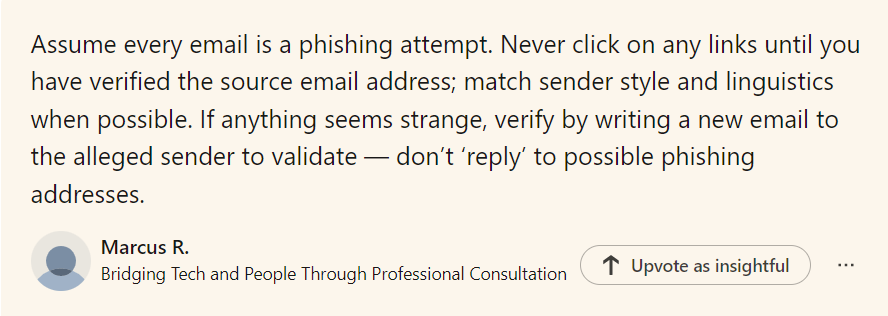 |
Raise awareness of staff through training (also NCSC cyber security training for staff) and posters.
Remind staff about the importance of passwords. View our password checklist.
Ensure virus software is running.
Be wary of public Wi-Fi.
Keep software up to date. View our Cyber/Information Security Best Practice Area.
Incidents or attacks where any security breaches may have taken place, or other damage was caused, should be reported to an external body.
The SLT digital lead will be responsible for assigning someone to report any suspicious cyber incidents or attacks. This person will need to report this to:
You may also need to report to:
You must act in accordance with:
Police investigations may find out if any compromised data has been published or sold and identify the perpetrator.
Preserving evidence is as important as recovering from the crime.
Forward suspicious emails to
This article is linked to a series of articles about different types of Cyber Attacks. They can be viewed in the Information/Cyber Security News section of the Data Protection Education website or as part of the Information & Cyber Security Best Practice Area. Each article discusses a different type of cyber attack, steps to try to minimise the risk and guidance.
The Cybersecurity and Infrastructure Security Agency (CISA) defines insider threat as the threat that an insider will use their authorised access, intentionally or unintentionally to do harm to the organisation's mission, resources, personnel, information, equipment, networks or systems. This can include theft or unauthorised access to sensitive data, installing malware or other malicious software, or disrupting normal operations.
They are people who have authorised and legitimate access to a company's assets and abuse it either deliberately or accidentally.
There are three insider threat sources:
Remember: insiders don't act maliciously most of the time - a cyber attack is sometimes caused by a disgruntled employee but it's mostly by accident or negligence.
The role of cyber negligence in insider threats
Tell someone! Report to IT. Report to SLT.
Unplug the computer from the internet by removing the ethernet cable or turning the Wi-Fi off.
If you are a victim of a ransomware attack we would recommend reporting this to Action Fraud: https://www.actionfraud.police.uk/ as well as your data protection officer so they can advise about the data loss. Most cyber crimes like these will also need to be reported to the ICO by your data protection officer.
Isolate the infected device and pass to IT
Always ensure there are backups you can restore from.
©2026 Data Protection Education Ltd.