Best Practice Update

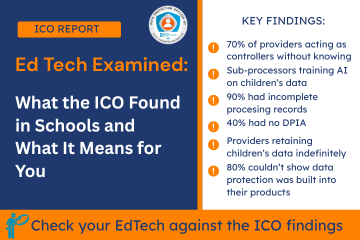
ICO EdTech Examined report graphic, highlighting data protection audit findings for UK schools and children'

The ICO's edtech audit programme, covering 28 providers used across UK primary and secondary schools, has resulted in one of the most significant data protection reports to affect the education sector in years. Published in June 2025, the ICO's EdTech Examined report made 596 recommendations and found widespread compliance failures in how edtech providers handle children's personal data. This article sets out what was found and what schools and DPOs need to do about it.

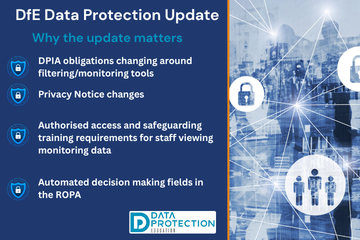
Graphic representing the Department for Education (DfE) Data Protection in Schools guidance update from June

The Department for Education (DfE) updated its Data protection in schools guidance on 17 June 2026, this refresh aligns the guidance with the wider expected KCSIE 2026 guidance and reinforces existing obligations that schools should already be acting on.

This article sets out what has changed, what it means for your school in practice, and the actions your data protection lead should be taking now.


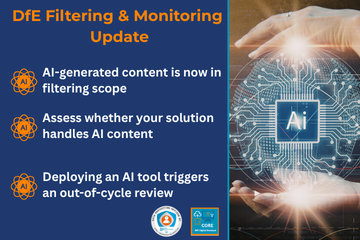
DfE Filtering and Monitoring Core Standard graphic for schools and colleges, essential for safeguarding children.

The Keeping Children Safe in Education (KCSIE) document obliges schools and colleges in England to ensure appropriate filters and appropriate monitoring systems are in place and regularly review their effectiveness”. This responsibility is now a standard, no just a technical tick box, but a core leadership and safeguarding function.

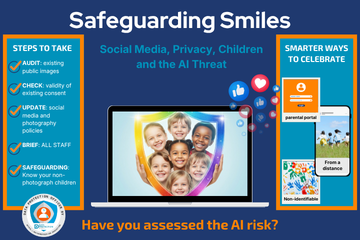
AI-manipulated images of smiling children, symbolizing the urgent online safety risks for schools

This article combines guidance from the Guardians of Privacy series, produced by Data Protection Education in collaboration with Litus Digital, with urgent new advice issued in May 2026 following confirmed blackmail attempts against UK schools using AI-manipulated images of children. Key sources include the UK Safer Internet Centre (8 May 2026) and the Internet Watch Foundation.

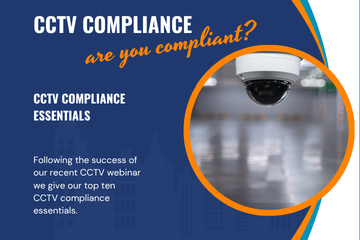
A security camera representing CCTV compliance, UK GDPR, and data protection legal obligations.

Following the popularity of our recent CCTV webinar, we've published some pointers for headteachers, governance professionals, head of operations and estates managers about CCTV compliance.


We discuss the legal obligations and common pitfalls of CCTV surveillance under the UK GDPR and Data Protection law.

Legal Foundations for Organisations

To operate CCTV lawfully, organisations must move beyond just installing camera.

  • Lawful basis - every camera must have a lawful basis.
  • DPIA - is mandatory and should be completed before installation to prove the system is necessary and proportionate/
  • Special category data - CCTV cameras capture sensitive information (i.e. race, health/disability), which requires a specific article 9 condition for processing.

High Risk Locations: Toilets & Changing Rooms

Placing cameras in or near private areas carries extreme legal risk under the Human Rights Act 1998.

  • Expectation of Privacy: pupils and staff have a high expectation of privacy in toilets.
  • Proportionality Test: you must prove that less intrusive methods failed before installing CCTV. This might include increased supervision, better lighting, vaping sensors for example.
  • Criminal Liability: capturing intimate footage of minors can lead to criminal changes.

Top 10 CCTV Compliance Essentials

Mistake

Fix

No DPIA

Conduct an assessment for existing systems immediately.

Wrong Lawful Basis

Update policies appropriately.

Outdated Policy

Review CCTV policies annually; include 2025 Act updates.

Conduct a DPIA for new CCTV systems.

Poor Signage or No Signage

Ensure signs list the operator, purpose, and contact details at appropriate locations. Someone should know they are being filmed!

Excessive Retention

Stick to 14–28 days; set up auto-overwrite.  Ensure your ACTUAL retention period meets your DOCUMENTED retention period in  your retention/CCTV policy. Review our article: The importance of knowing how to access your CCTV footage!

Ensure your footage is long enough to cover a holiday period in the event of a SAR receipt.  Deleting footage relating to a SAR could be a criminal offence (Section 173 Data Protection Act 2018).

Audio Recording

Disable it. Audio capture is rarely justifiable in schools.

No Access Log

Record every time footage is viewed, by whom, and why.

SAR Mishandling

Respond within one month; redact third parties in footage. You will likely need specialised redaction software.

Contact DPE for more advice on CCTV redaction.

Neighbour Privacy

Use digital masking to avoid filming residential properties. Ensure you know what your camera is recording.

Late DPO

 Involvement

Consult your DPO before making system changes.

Summary Checklist

  1. Appoint/Consult a DPO for all CCTV decisions.

  2. Layer your notices: Short signs at entrances, full policy on the website.

  3. Be transparent: Tell parents and staff why and where cameras are used.

  4. Report Breaches: If footage is lost or misused, you must notify the ICO within 72 hours.

Contact for Support: Data Protection Education provides DPO services, DPIA templates, and redaction support. Email: This email address is being protected from spambots. You need JavaScript enabled to view it. | Phone: 0800 0862018

DPE Customers Resources

DPE customers have access to the CCTV Best Practice Area which includes signs, template policies and guidance. We can also do a review of the CCTV when visiting during our data walks (Making the Rounds) or we can come and do a full CCTV Audit.  Customers may also choose to complete the CCTV Checklist as part of their compliance documentation.

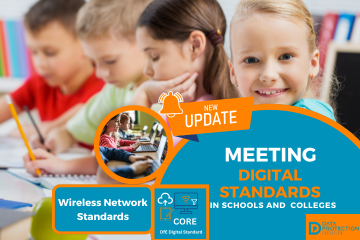
DfE Digital Standards guidance for Wi-Fi networks, highlighting new Wi-Fi 7 and Wi

The DfE Wireless Networks is part of the DfE Digital Standards guidance and has recently been updated to include references to Wi-Fi7. You must check with this standard before you plan any Wi-Fi upgrades!


What's New?

There is a now clear guidance that specifies that any new wireless solution or upgrade must, at a minimum, meet the Wi-Fi 8 standard.

What is Wi-Fi 7?

Wi-Fi 7 provides significantly higher throughput and lower latency. In a classroom where 30 students might simultaneously stream high-definition educational videos or engage in augmented reality (AR) lessons, Wi-Fi 7 ensures the connection remains stable and fast.

What is the DfE Wireless Network Standard?
Icon representing the DfE Digital Core Standards for Cyber Security updates in Schools and Colleges. The Wireless Network Standard is part of the set of DfE Digital Standards and one of the main core six which the DfE require schools to be meeting by 2030.

The core sections are:

🛜Wireless Standard

  • A high performance solution is needed to make sure that the speed of the connection does not slow down as more devices connect to the wireless network.

🛜Wireless Signal

  • A good wireless connection relies on signal strength. It's important to make sure there is strong signal coverage in all areas of your school or college where mobile devices are to be used.

🛜Central Management

  • A wireless network will be made up of many wireless access points. A central management solution will allow your support team to monitor and configure your network and identify and resolve issues.

🛜Security Features

  • Your school or college IT networks should prevent access by unauthorised users while providing access to regular and guest users.

Wireless Checklist:

Feature Standard Requirement
Minimum Standard Wi-Fi 7 (802.11be)
Authentication WPA3 / Certificate-based / MFA for admins
Coverage 100% of learning and admin areas (verified by heat maps)
Management Centralized, manufacturer-approved management tool
Resilience Manufacturer warranty and 24/7 support arrangements

When do I need do this?

Whenever you upgrade or change your current Wireless Network, review the latest guidance in the DfE Wireless Network Standards to ensure you are meeting the standard. 

You should upgrade or change your network if it is no longer meeting your device requirements.

DPE Tracker Update

  • Replaced Wi-Fi 6 with Wi-Fi 7 reference and question.
  • Added clear statement about the DfE Cyber Security Standards being one of the six core standards.
  • Additional links to the Cyber Security Standard as a dependency.

Where do I start?

If you're unclear about where to start with this, we would advise initially assigning an SLT digital lead in your organisation and work from there. The responsibility of meeting the standard lies with the school, it is up to you to ask your IT provider if you are meeting the standard and how to meet the standard.  The DfE Digital Standards are a series of standards in document form that help you work towards being cyber resilient in all aspects of the organisation.

Making the Rounds: we will ask some of these questions when we come and visit your school or trust as part of our Making the Rounds or data walk.  We will then provide feedback via a report.
  1. World Backup Day: Backups - Your Safety Net
  2. School Cyber Attack: St Anne's Catholic School
  3. Volunteer Acceptable Use Policy & Agreement
  4. Handling Subject Access Requests (SARs) - at the end of term
  5. How should schools manage paper archives?
  6. Navigating the Redaction Divide: SAR or PEX?
  7. Records Management Toolkit: Where do I start with records management?
  8. What type of request have you received? SAR? Educational Record? Or FOI?
  9. SAR Extension Template
  10. Leavers' Memorabilia
  11. Sharing photos on World Book Day: Privacy considerations
  12. Make sure DPE is your registered DPO with the ICO
  13. Supplier Due Diligence Step by Step: Are you sharing personal data with a third party organisation?
  14. Time to kick-start your Clear Desk and Screen policy?
  15. Are Governors the Frontline of Cyber Security? (February 12th is Governors Awareness Day)
  16. DPE Webinar Schedule
  17. The Danger of the 'Data Dump': Why more information isn't always better!
  18. Introducing our new Recording and Transcription Policy
  19. Parents and students covertly recording conversations
  20. New DfE AI Standards
  21. Shareable Snippet: Office Security Best Practices for the Holidays
  22. CCTV Policy update: retention
  23. Shareable Snippet: Confidential waste
  24. Sharing information to safeguard children and young people in the education sector in the UK
  25. Fraud awareness from the DfE
  26. Complaints vs. Data Rights: A Guide
  27. Data Breach: School sends out names and contact details in a spreadsheet.
  28. September 2025 Policy and Document Updates
  29. KCSIE 2025: Data Protection, AI, and Cyber Security
  30. The Online SCR Data Breach: What You Need to Know
  31. Back to School Basics for Data Protection and Cyber Security Compliance
  32. Building a Secure School: Using the ICO Accountability Framework to Meet DfE Digital Standards
  33. Why Physical and Data Security Must Go Hand-In-Hand
  34. Digital Safeguarding: DfE announces statutory DfE Digital Standards
  35. The Data Protection Lead/Champion Role
  36. Changes to the Academy Trust Handbook 2025
  37. Social Media Day 2025
  38. How Ofsted looks at AI during inspection and regulation
  39. Preschool Employment tribunal for the use of WhatsApp
  40. Data Breaches 2025 Report Highlights
  41. Not everyone needs access: The Key to Protecting Sensitive Data
  42. West Lothian Schools in Cyber Attack
  43. National Honesty Day: Transparency
  44. FOI Request - BBC News
  45. Social Media and Marketing Guidelines and Training
  46. New Governor Resources
  47. Does stress lead to more data breaches?
  48. Are teachers using AI? 83% say its a time-saver
  49. DfE Digital Standards - narrowing the digital divide
  50. Arbor AI - On By Default
  51. DfE Guidance: Choosing a new MIS
  52. HCRG Care Group data breach
  53. The Importance of AI literacy and training staff
  54. Short Guide to AI Video
  55. Safer Internet Day, Cyber Security & Data Protection
  56. The Cyber Resilience Championship
  57. The Multiple Dimensions of Supplier Due Diligence
  58. School shares sensitive pupil information as part of an FOI response
  59. Blacon High School Cyber Attack
  60. WhatsApp and FOI's: ICO Warnings
  61. New AI Guidance from the DfE
  62. What the proposed Government legislative proposal around cyber crime means
  63. ICO report on AI tools in recruitment
  64. DfE update to record keeping and management
  65. Update to data sharing for school immunisation programmes
  66. Early Years Settings and Cyber Security
  67. SLT Digital Lead Profile
  68. The role of governors in cyber security and data protection
  69. Navigating Privacy at the End of Term , Special Occasions and End of Year
  70. Contracts Register
  71. DfE Digital Standards Autumn Update
  72. The importance of knowing how to access your CCTV footage!
  73. Cyber Attack on a Special School
  74. Stealing children's data
  75. What is dark data? (and why does it matter?)
  76. Ofqual highlights the value of cyber security training in schools
  77. Searching for data when you receive a Subject Access Request
  78. Fylde Coast Academy Trust Cyber Attack This Week
  79. Calling all IT leads in schools and mult academy trusts!
  80. Ransomware cyber attack on a school in Bromley
  81. Join Our Social Media Family!
  82. School hit by Cyber Attack
  83. Cyber Security Best Practice Area
  84. DfE Digital Standards for Schools and Colleges Tracker
  85. New Policies, Documents, Letters and Posters page
  86. Schools and Trusts Best Practice Area
  87. The DPE Retention Schedule
  88. Making the Rounds Update (now includes reporting)
  89. ESFA Cyber Essentials Requirement for Colleges from 2024/2025
  90. ICO Reprimands a School
  91. Out of date technology
  92. Data Retention and the Pupil File
  93. Have you assigned your SLT Digital Lead yet?
  94. Getting Started with AI (Artificial Intelligence)
  95. Cyber attack on a school during half term
  96. The rise of cyber attacks in schools are causing pupils to miss classes
  97. ICO: Learning from the mistakes of others report
  98. Cyber attack on a Trust; the aftermath
  99. School Focus: The Vale Federation | Aylesbury
  100. DfE Dealing with Subject Access Requests (SARs) Guidance
  101. Update to the Guidance on Information Sharing from the DfE
  102. FOI Requests generated by Artificial Intelligence
  103. Social Media Best Practice Area
  104. Lettings Best Practice Area
  105. MFA Bombing - What is it?
  106. Protecting your Social Media Accounts
  107. Checklists - Are They Your Most Powerful Compliance Tool?
  108. Product Focus on Checklists : Initial Trust Plan
  109. Product Focus on Checklists : End of Term Checklist
  110. Product Focus on Checklists : Information and Cyber Security
  111. Product Focus on Checklists : Social Media
  112. Product Focus on Checklists : Lettings
  113. Product Focus on Checklists : Record of Processing
  114. Milk Island: The secret location that allows children to view restricted content on Google Maps
  115. Why Data Should Stay Put: Benefits of Keeping Data in Its Original System
  116. Product Focus on Checklists : Data Retention and Destruction
  117. Product Focus on Checklists : Data Migration
  118. Product Focus on Checklists : Biometrics
  119. Product Focus on Checklists : Supplier Due Diligence
  120. Free Cyber help, advice and training with the Cyber Resilience Centres
  121. The Perils of Paper: The Printing Vulnerability
  122. Product Focus on Checklists : FOI
  123. Product Focus on Checklists : Governors and Data
  124. Product Focus on Checklists : DPIA
  125. Product Focus on Checklists : Site Moves
  126. Product Focus on Checklists : Data Breaches
  127. Product Focus on Checklists : Subject Access Requests
  128. Product Focus on Checklists : Bring your own device
  129. Product Focus on Checklists : Working out of school/offsite
  130. Cyber Attack on a School
  131. Product Focus on Checklists : Redaction
  132. Why Due Diligence is Important: Fake apps
  133. Product Focus on Checklists : CCTV
  134. Product Focus on Checklists : Clear desk
  135. Product Focus on Checklists : Commitment to compliance
  136. Product Focus on Checklists : Photos and video
  137. Product Focus on Checklists : Passwords
  138. Product Focus on Checklists : Information Classification
  139. Free cyber training for staff
  140. DfE Digital Standards Update
  141. The Mother of all Breaches
  142. International Data Transfers (part 1): Navigating Cross-Border Data Transfers: Understanding EU SCCs, UK Addendum, and UK IDTA
  143. ClassCharts Possible Data Breach
  144. Where is your data stored?
  145. IAPP looks at AI privacy risks
  146. If you suspect a financial scam .....
  147. School Focus: St Bernadette's Catholic Primary School | Brighton
  148. Guardians of Privacy: 16. Social Media Checklist
  149. Guardians of Privacy: 15. Navigating Social Media in Educational Settings Summary
  150. Guardians of Privacy: 14. Social Media and Cyber Bullying
  151. Guardians of Privacy: 13. Social Media, Copyright and Intellectual Property
  152. Guardians of Privacy: 12. Social Media and Going Viral
  153. Guardians of Privacy: 11. Staff Social Media Accounts
  154. Guardians of Privacy: 10. Social Media and Cookies
  155. Guardians of Privacy: 9. Social Media and Morality
  156. New Resources for Schools from the ICO
  157. Guardians of Privacy: 8. Social Media Policies
  158. Guardians of Privacy: 7. Social Media Data Retention
  159. Guardians of Privacy: 6. Posting Safely
  160. Guardians of Privacy: 5. Social Media and Consent
  161. Guardians of Privacy: 4. Social Media Access Control
  162. Guardians of Privacy: 3. Social Media Channels
  163. Guardians of Privacy: 2. Law and Regulations
  164. The ICO reprimands a Multi Academy Trust
  165. Guidance for the use of school email and applying email retention in schools
  166. Data Protection Tips for Early Years Settings
  167. Children's Privacy around the world is a puzzle
  168. Trust Initial Plan Checklist Update
  169. Records Management Best Practice Update
  170. What do I need to redact?
  171. Trust Initial Plan for Data Protection Compliance (for Multi Academy Trusts)
  172. Google for Education Resources: Helping IT Admins meet DfE digital and technology standards
  173. Lettings Best Practice and Guidance
  174. Considerations when migrating to a new MIS
  175. Public bodies and sensitive data
  176. Get a DPE Badge for your website!
  177. ICO: 10 Step guide to sharing information to safeguard children
  178. Help after a Cyber Attack/Incident
  179. Data Protection and Cyber Security (Inset Day) Training Ideas
  180. How KCSIE is linked to Cyber Strategy
  181. Handling Freedom of Information Requests the right way
  182. Where's Harry the Hacker?
  183. The ICO Reprimands a school
  184. Redaction Guidelines Updated
  185. Using WhatsApp in Schools
  186. How to contact us for support, subject access requests, data breaches and FOI's
  187. FOI: Reinforced Autoclaved Aerated Concrete
  188. FOI: Henry Jackson Society
  189. FOI: Vaccination Justifications
  190. How the Record of Processing Can Help You
  191. What does a Data Protection Officer Do?
  192. Carrying out Supplier Due Diligence
  193. How Long Should You Keep Personal Data For?
  194. B&H FoI: Racist/religious incidents/bullying
  195. Protocol for Setting Up and Delivery of Online Teaching and Learning
  196. Class Dojo International Data Sharing
  197. Model Publication Scheme: Amendments, Improvements and Updates
  198. Transparency
  199. Research projects and GDPR
  200. Secure file transfer of files using Royal Mail
  201. Emergency contacts and consent
  202. Key elements of a successful DPIA
  203. FOI Publication Schemes
  204. Best Practice for Managing Photos and Video
  205. New Drip Feeds: Recognise and Respond to Subject Access Request
  206. When to contact the Data Protection Officer?
  207. National child measurement programme
  208. Headteacher fined for breach of data protection legislation
  209. Acceptable Use Policy

Search